Peerfold Academy
Everything it takes to teach your customers
Academy is the courses part of Peerfold. Build a course in the three-pane editor, or hand an outline to an agent and review what it drafts. Certify people with certificates, Open Badges and continuing-education credits. Sell a course or a membership on your own Stripe account with no platform fee. Serve all of it from a portal on your own domain, in the language each learner reads. Every enrollment, completion and credential lands on the contact and company records your revenue team already reads, so the team that sells to a customer and the team that trains them read the same history.
On the Starter, Professional and Enterprise plans. Fourteen-day free trial with every feature on, and no card.
 Academy
What it does
From a blank outline to a certificate on the customer record
Six chapters, and the same cards the features index carries under Academy. Where a capability needs a plan, the card says which.
Create
Courses without the maintenance tax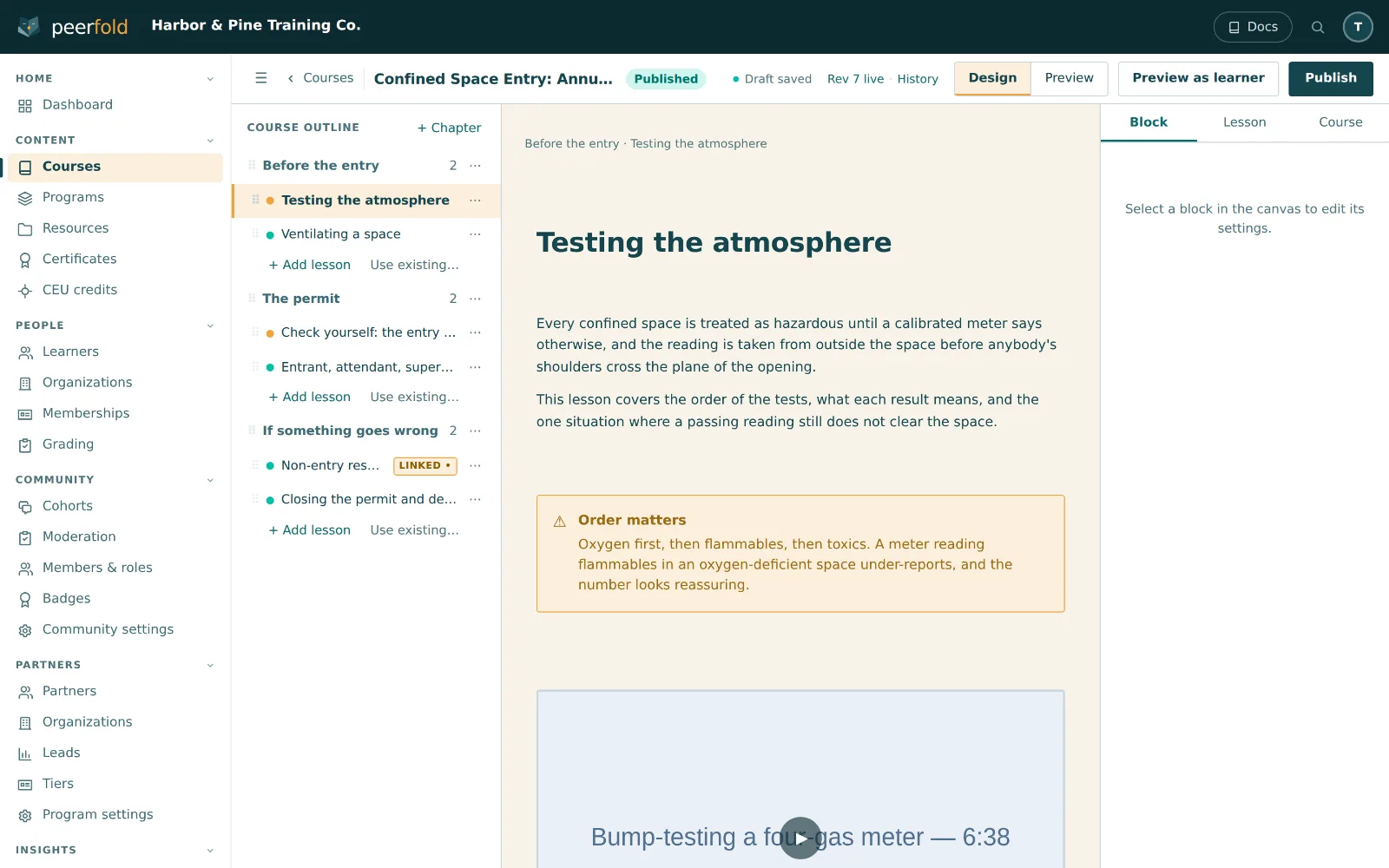
Course editor
Outline, canvas, and inspector in three panes, with autosave, undo, and learner preview into any lesson.
22 block types
Rich text, video, quizzes, flashcards, walkthroughs, downloads, and more.
AI course creation
Paste your source material; review the outline, then the drafted lessons. Nothing auto-publishes.
Quizzes & exams
Server-graded quizzes with a pass threshold you set, timed exams, open-ended answers in a grading queue, and retake controls.
SCORM courses
Bring your existing SCORM library as-is. Plays natively, no per-learner fees.
Video & audio
First-party video with chapters, captions, and must-watch gates. One click narrates any lesson.
Audio lessonsProfessional+
One button reads the lesson aloud and puts a player at the top of it. Bring your own speech account and pay your provider's price, with nothing added.
Live sessions
Schedule sessions, take attendance, and count them toward completion.
Learning pathways
Chain courses into programs with an order and a finish line.
Landing pages
A public page per course or program, ready for your campaigns.
Reuse & curated courses
Link a lesson instead of copying it, build a course from lessons you already teach, or clone one into another workspace you administer.
Versioned publish
Learners always see the finished version while you work on the next.
Certify
Proof a third party can check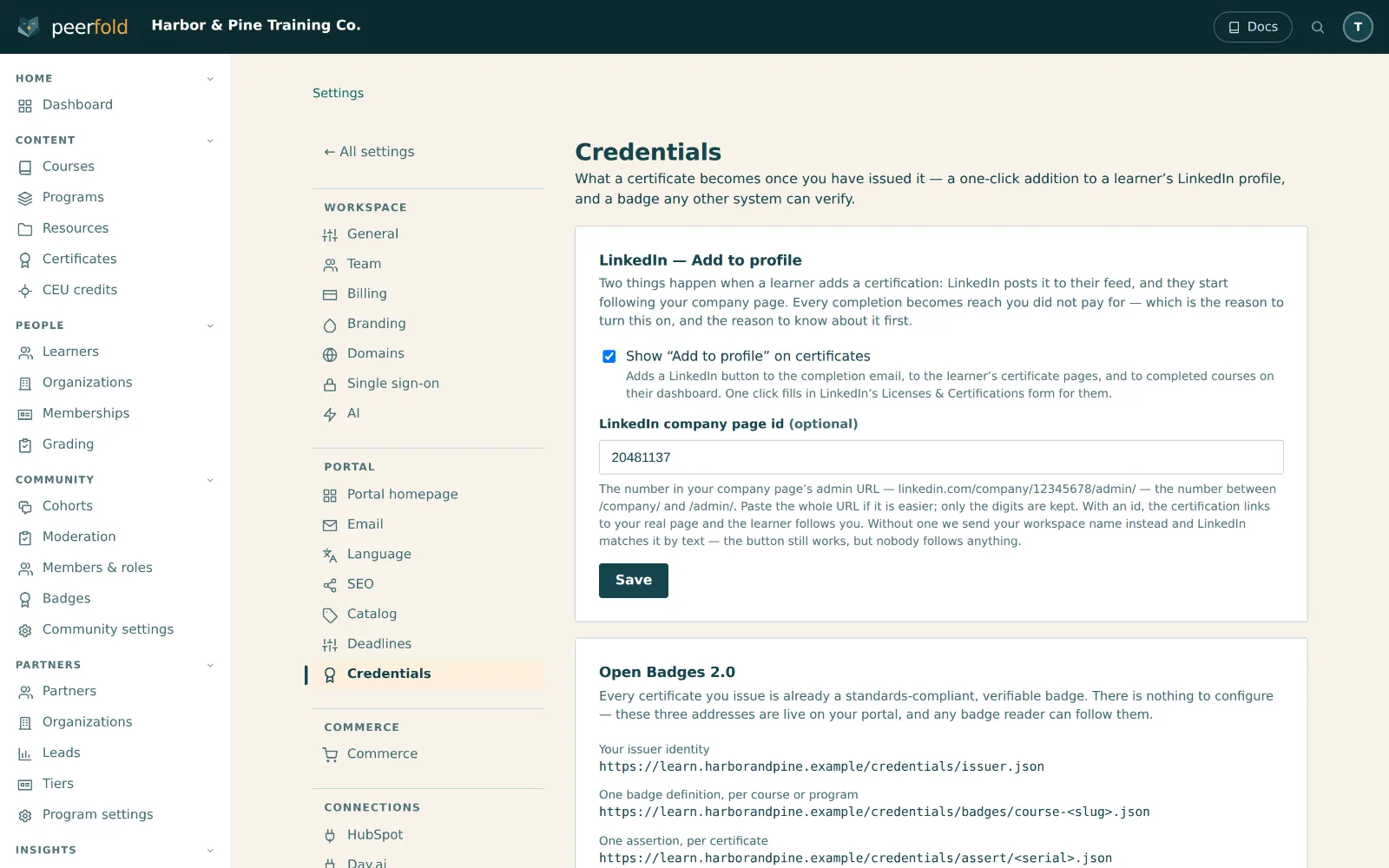
Certificates
Serial-numbered, with a public verification page, designed in a drag-and-drop editor.
Certificate designerEnterprise
A visual canvas with merge tags, brand palettes, images and shapes. An issued certificate pins its design, so re-rendering an old one never changes it.
Open BadgesProfessional+
Every credential doubles as an Open Badge, issued under your name.
LinkedIn sharingProfessional+
One-click Add to Profile that posts to the learner's feed.
Issuer connectorsProfessional+
Issue the same completion through an outside credential network as well as your own portal. Revoking here revokes it downstream.
CEU credits
A running ledger of continuing-education credits per learner.
Training deadlines
Due dates with branded reminders and overdue visibility for the account team.
Recertification
Expiry cycles that reopen the exam and issue a fresh serial on pass.
Sell
Education as a revenue line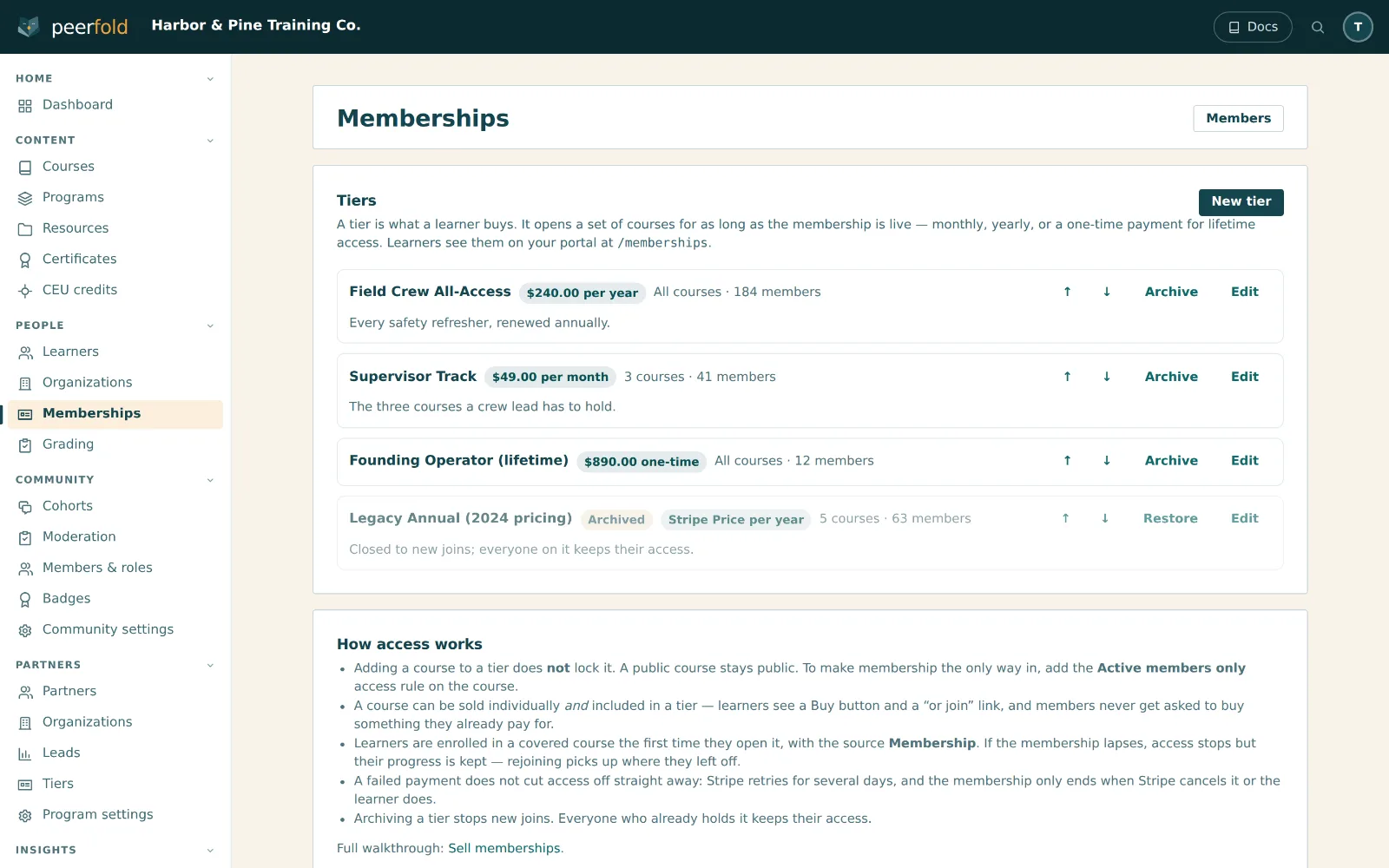
Checkout
Branded hosted checkout with guest purchase, promo codes, and refunds handled.
Memberships & tiers
Recurring plans with free trials and easy switches between tiers.
Team seats
Companies buy a block of seats and hand them out from their own portal.
Lead-gen mode
Flip any course into a lead magnet, and the course page becomes the form.
Buy button
A small add-to-cart button for any page, with abandoned-cart reminder emails.
Recertification pricing
Renewals and recert cycles carry their own price and bill on schedule.
Learn
What your customer actually sees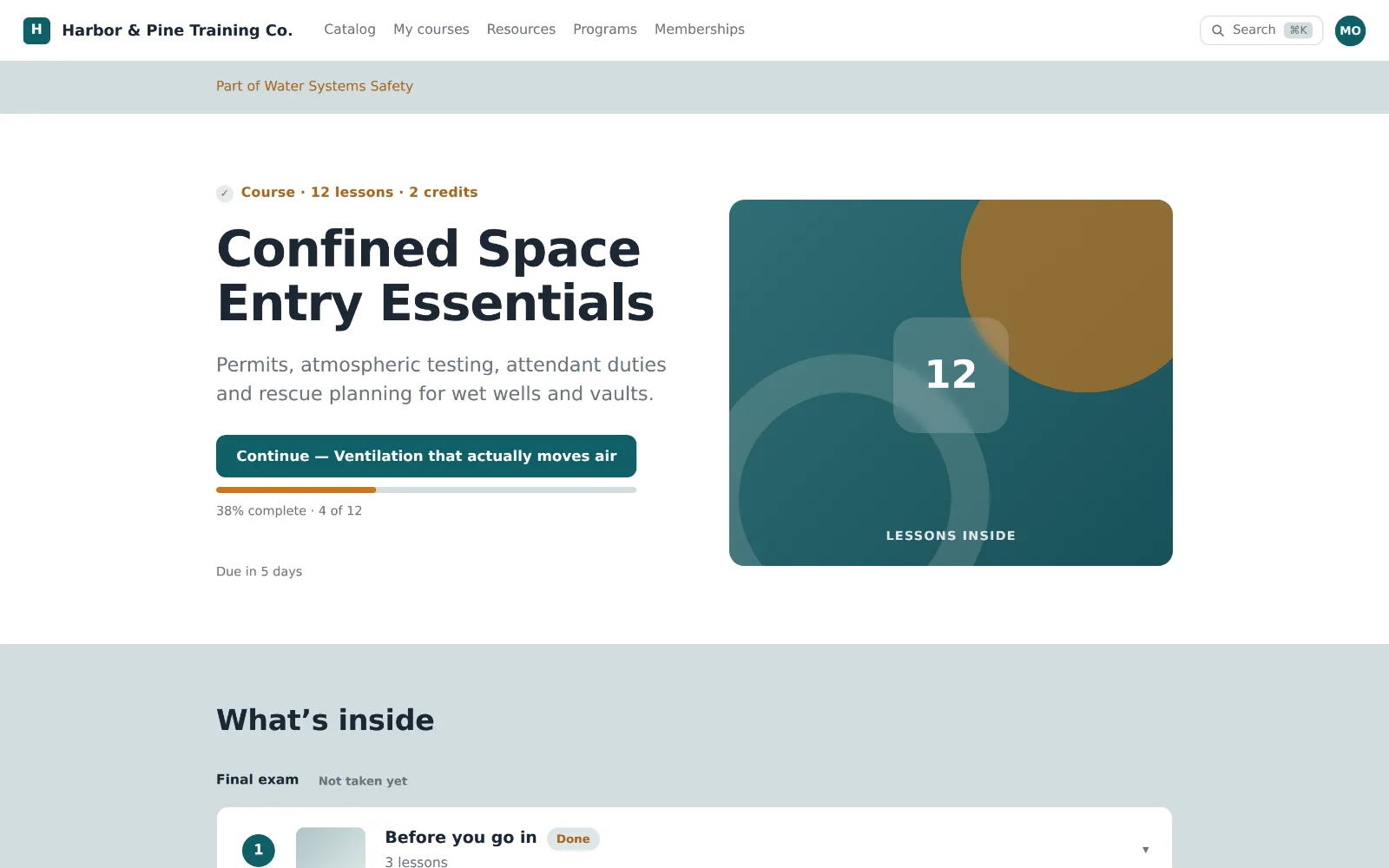
Branded learner portal
Your logo, colors and fonts on your own domain, with the contrast checked for you and search always within reach.
No password to reset
Passwordless email codes, recognition of returning contacts, and post-purchase claim links.
Progress that resumes
Per-lesson time tracking, video resume positions, SCORM bookmarks, and a dashboard that opens where they left off.
Learner profiles
CRM-synced details, every certificate they hold, and their earned credits, on one page.
Six portal languages
Eleven languages built in, from English and Spanish to Polish and Danish, plus a twelfth your workspace writes in any language at all.
AI tutorEnterprise
Answers a learner inside the lesson they are on, built from that course's own material, and says so where the course does not cover it.
Operate
Runs where your business runs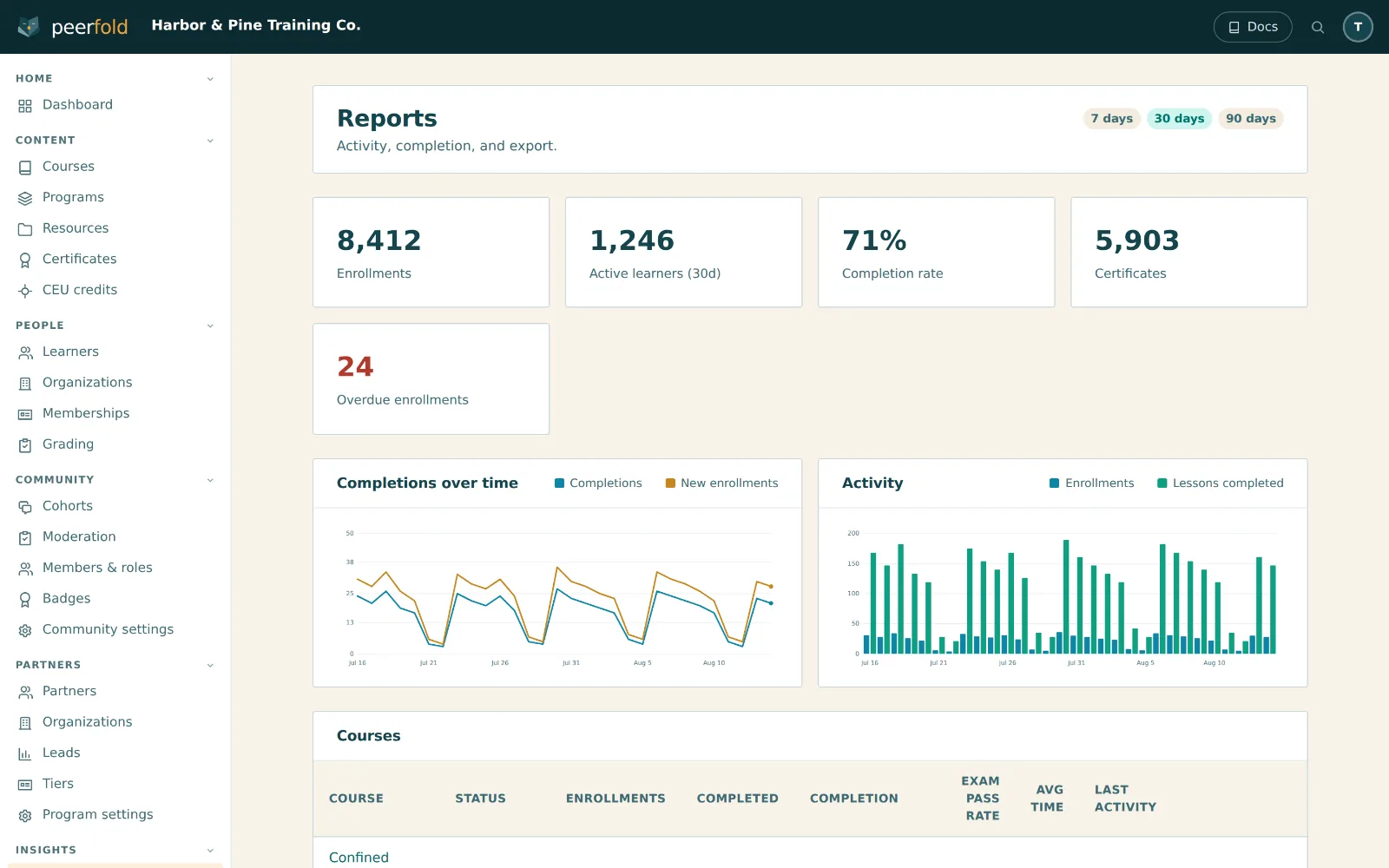
CRM-native sync
Completions, scores, certificates, and deadlines land on HubSpot, Salesforce, or Day.ai records.
Automatic enrollment
CRM lists enroll and remove customers as deals move. No manual roster.
Sync health
A live console showing every outbound write, with automatic retries, self-healing when a CRM record is deleted, and alerts on dead letters.
Organizations
Each company you train gets its own admin portal, progress views, and exports.
Single sign-on
Customers sign in with the login they already use at work, per organization.
ZapierProfessional+
Send any Peerfold event to the rest of your stack without code. Invite-only today.
White label
Your domain, your email domain, your certificates. Five languages plus your own.
Email from your address
A verified sending domain or your own SMTP, with a live preview and a test send before anything goes out.
Analytics
Course and learner reporting in the app, CSV exports when you want the raw data.
Multiple workspaces
Run one academy or a dozen: isolated workspaces, custom domains with managed SSL, and a switcher in the account menu.
Help on every screen
A panel that answers your own team from this deployment's guides, names the ones it used, and can walk somebody through the task on their screen.
Audit log & isolation
Every mutation audit-logged, credentials encrypted at rest, per-tenant CORS and frame allowlists, and strict tenant isolation on every query.
Build
The first LMS built agent-first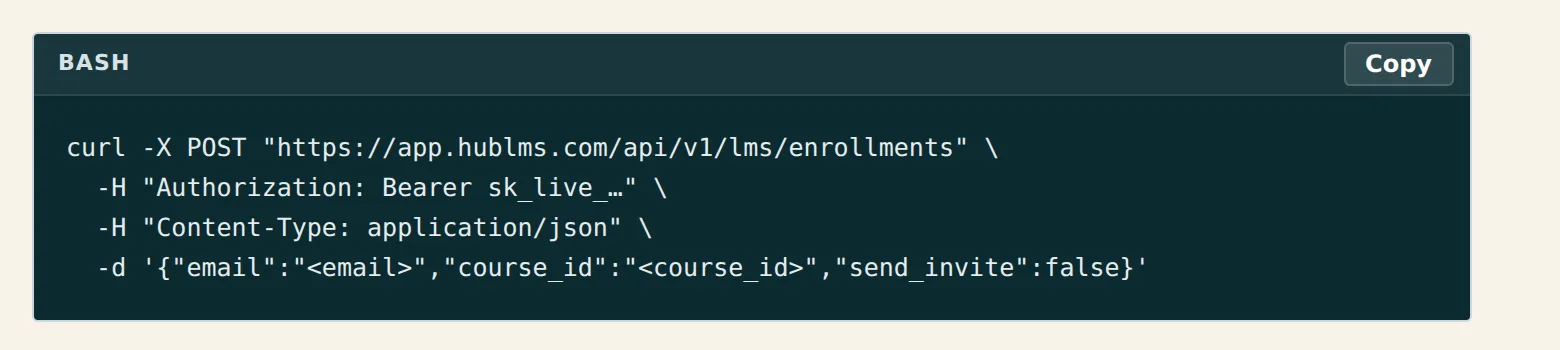
REST API
A complete OpenAPI 3.1 surface for the learner plane and the admin plane, with API keys, per-tenant CORS, rate limits and idempotency.
AI agents & MCP
A 256-tool MCP server and agent SDK run the academy, with every write audit-logged, and the Help Center answers the agent too.
WebMCP page tools
The admin publishes tools to the browser's own agent surface. They read, navigate and stage: they fill the form and leave the button to you.
Agent DevKit
One download gives any coding agent CLAUDE.md, AGENTS.md, Cursor, Replit, Lovable and Copilot files, an llms.txt, and a .env that never carries a secret.
Headless LMS
The full LMS through React components or the API, inside your own app.
SDKs & embeds
A typed API client, React hooks, a small browser bundle, and the embeddable cart.
Signed webhooks
A thirty-two-event catalog, HMAC-signed, with delivery management in the app.
Sandbox & headless auth
PKCE flows, token exchange, and sandbox tenants with test keys, so an integration gets built somewhere safe.
Capabilities marked Professional+ or Enterprise need that plan. Everything else is on every plan, deep CRM sync included.
Keep reading
The other two products, the plans, and the pages written for one reader at a time.
All three products in one scroll, with Academy at the top and the other two under it.
Four published plans, a feature-by-feature comparison, and what the trial includes.
SCORM and xAPI content, credentials, and filing continuing-education credit, for the reader who owns the curriculum.
The same product read as a growth channel: course activity on the contact record and lists that act on it.
The room customers stay in once the course is done, on the same member profile.
Partners who sell for you, registering leads and reading a commission statement in the portal your learners sign in to.
A sourced comparison with Northpass, now Gainsight Customer Education, including the migration scope.
Start teaching this week
A workspace, your first course and a portal on your own domain, without a call first.
- Fourteen-day trial, every feature on
- No card to start
- 0% platform transaction fees
- Deep CRM sync on every plan