Peerfold Community
The room your customers stay in after the course
Community is discussion, profiles and moderation inside the portal your courses already live in, on the same sign-in and the same member profile. Open topic-based spaces at one of four visibility tiers, run threads with pins and marked solutions, and give each member a feed of the rooms they belong to and the threads they follow. Moderators pin, hide and restore where the discussion is, and work a queue of reported posts. Community activity lands on the contact record beside their learning, so a customer who stopped opening courses but answers three questions a week is visible as what they are.
Its own plan for a community without an academy, or an add-on to any academy plan.
 Community
What it does
From the first space to a queue somebody is working
Four chapters, and the same cards the features index carries under Community.
Belong
The room where customers stay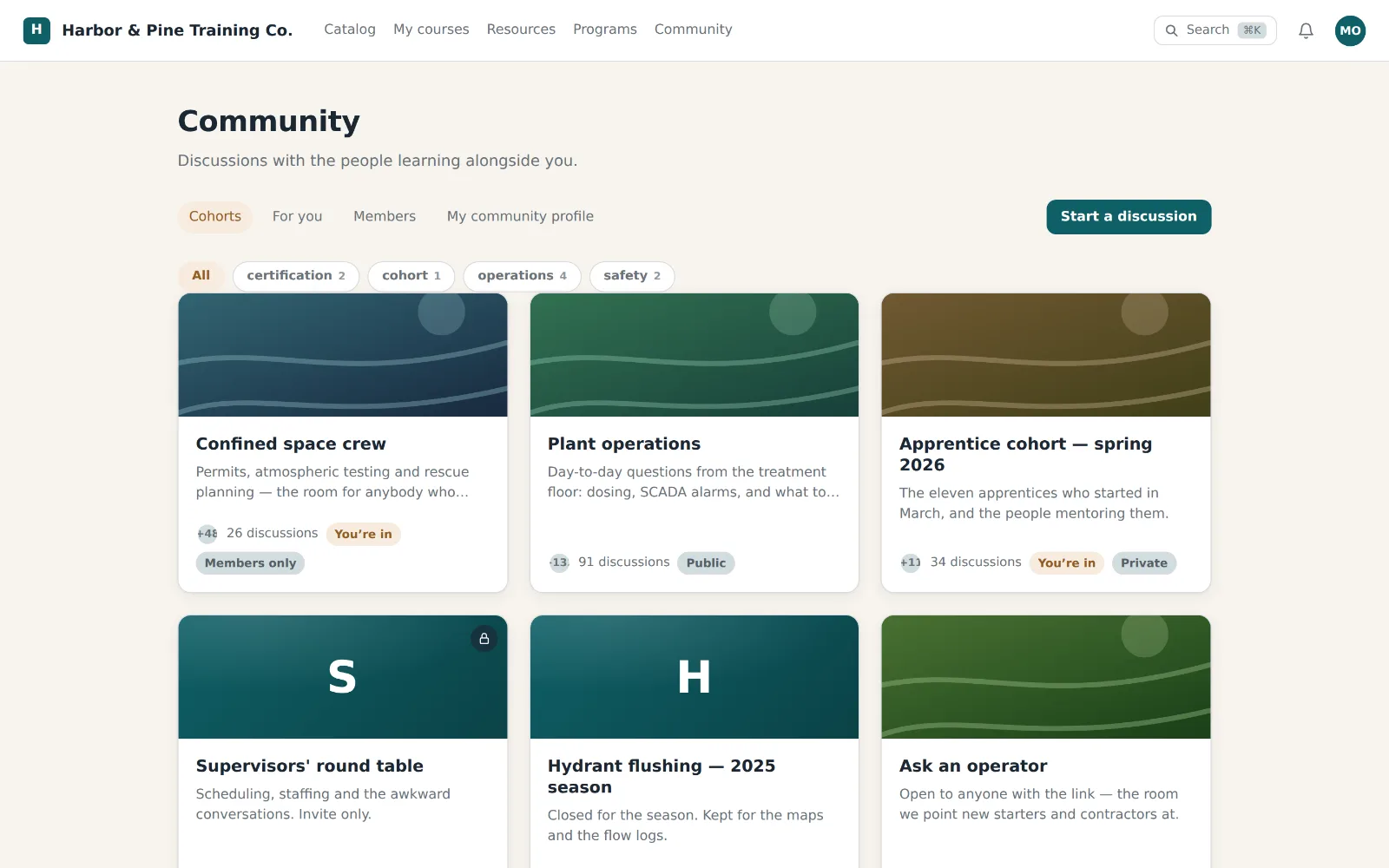
Spaces
Topic-based areas you shape to your customer base, private or open.
Four visibility tiers
Public, signed-in members, members only, or invite only. The rule is decided on the server, on every surface, every time.
Discussions
Threads with rich media, next to the courses instead of in another tab.
Pins & solutions
A moderator pins the thread everybody needs, and marks the comment that answered the question so it sorts to the front.
Likes & follows
A like on any thread or comment, and a follow that keeps a thread in the follower's feed.
Live sessions
Office hours, AMAs, and events inside the same portal.
One identity
The same member everywhere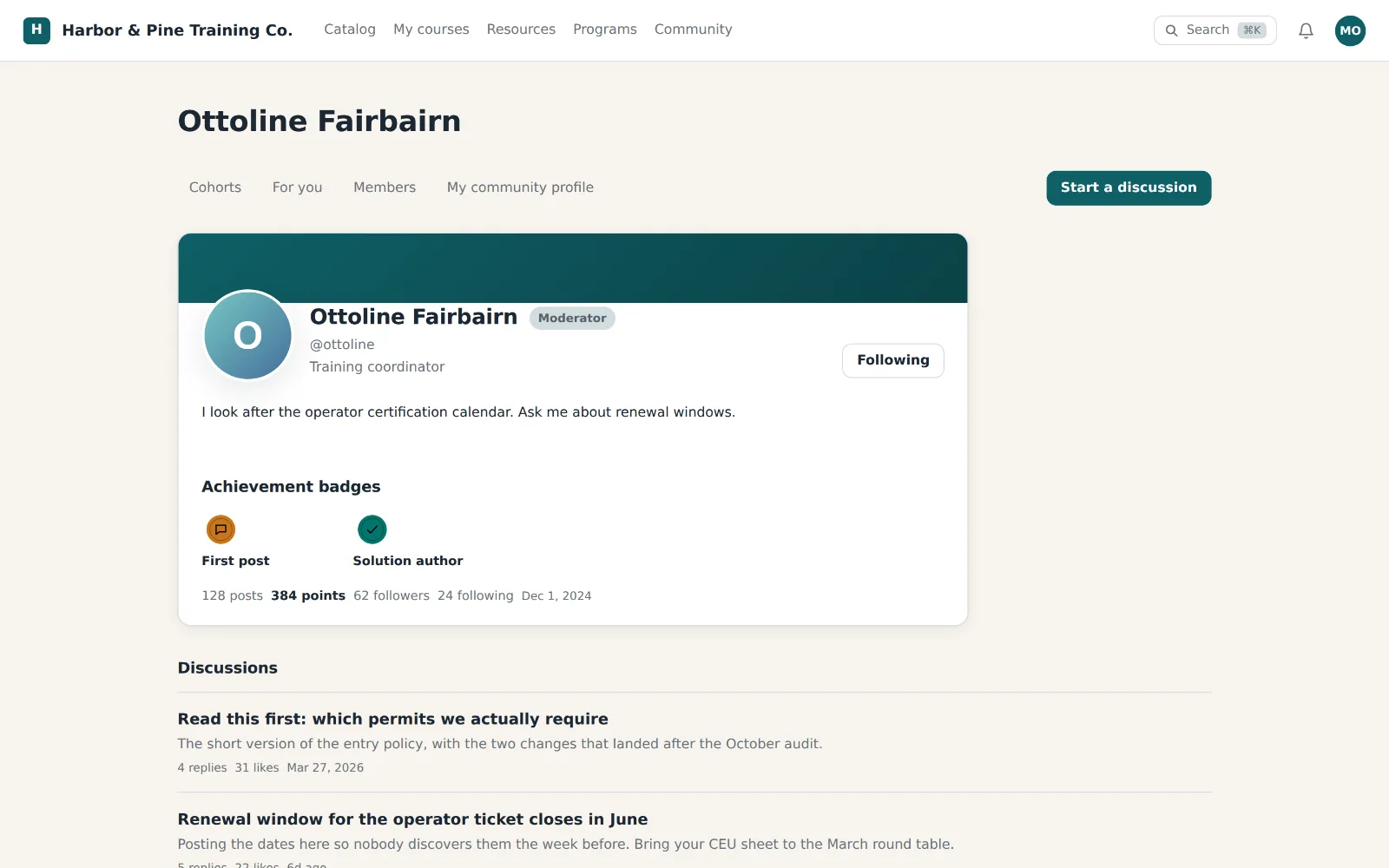
One member profile
Courses, credentials, and conversations under a single profile and login.
Earned standing
Certifications from Academy show as visible standing in the community.
No passwords to forget
Simple, passwordless sign-in, or the SSO their company already uses.
Member directory
Searchable, a card per member. A member can leave the listing without taking their name off what they wrote, and the product says which is which.
Member follows
A plain follower-and-following graph between members, shown on both profiles.
A for-you feed
The rooms they belong to and the threads they follow, newest first, filtered by the same visibility rule as everywhere else.
Keep it civil
Somebody is in charge, and it shows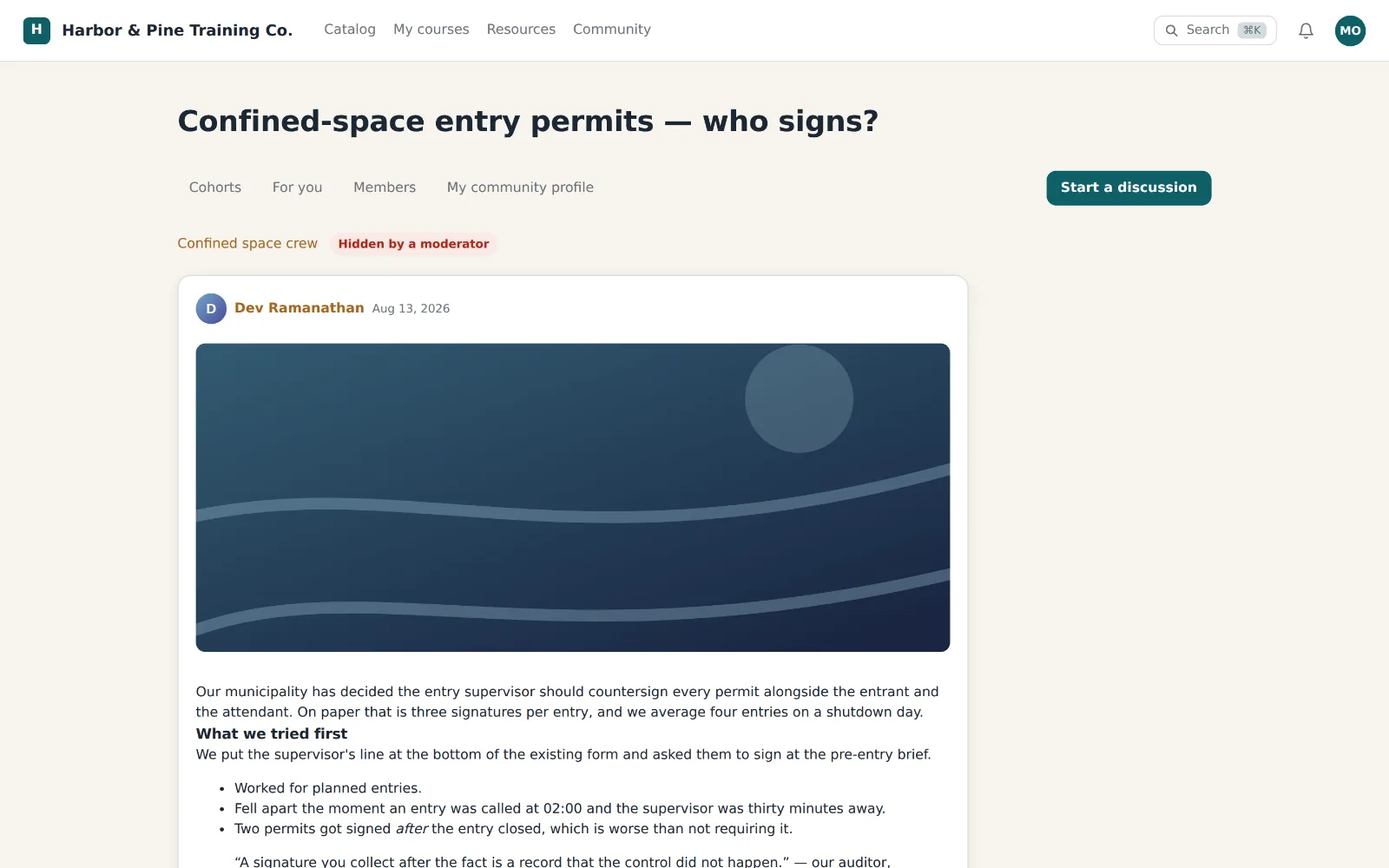
Moderator roles
A cohort moderator runs one room; a workspace moderator runs every room, invite-only ones included. The two are independent.
Moderate in the portal
Pin, mark a solution, or take a post out of view where the discussion is. Hiding never touches the words, and Restore puts it back.
A moderation queue
Posts out of the portal, oldest first, beside the reports members filed. Closing a report and acting on the post are separate decisions.
Abuse reports
Anyone signed in can report what they came across. The report keeps what they said, and survives the thing it names being deleted.
Per-member permissions
Four switches for editing and deleting their own posts, plus the username gate. Inherit, Allow or Deny, one member at a time.
On the record
Community your revenue team can see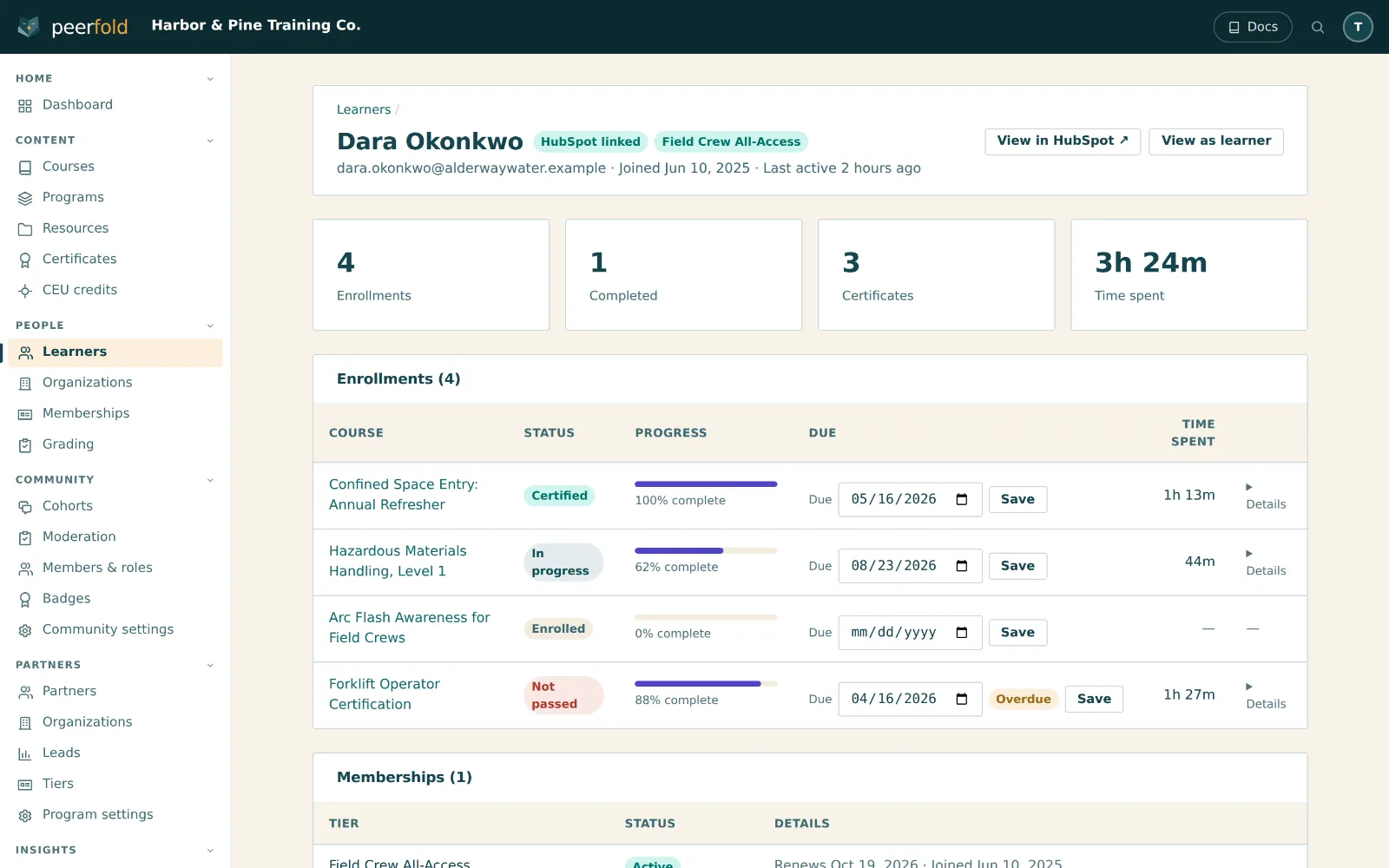
CRM engagement signals
Community activity lands on the contact record, right next to learning.
Discussions inside a lesson
A discussion block points a lesson at a cohort or a thread. The reader's own standing decides what it draws, and a private room draws nothing.
Community API & MCP tools
Twenty-seven REST endpoints and fifty agent tools over the same service layer, with every write audit-logged.
Headless community
The full community through React components, inside your own app or HubSpot theme.
Your brand
Same white-label portal, domain, and languages as the academy.
A plan, or an add-on
The Community plan is community without an academy. On every other plan it is an add-on that leaves the plan exactly as it is.
The Community plan is community without an academy. On every other plan it is an add-on that leaves the plan exactly as it is.
Keep reading
The other two products, the plans, and the pages written for one reader at a time.
All three products in one scroll, with Community between the academy and the partner program.
The Community plan, the add-on price on any academy plan, and what the trial includes.
The courses, credentials and commerce a community grows around, on one member identity.
A partner roster with tiers and permissions, in the same portal and behind the same emailed code.
Community engagement as a signal your CRM lists and workflows can act on.
Twenty-seven REST endpoints, fifty agent tools, and the components that render a community inside your own app.
A sourced comparison with a community platform that added courses, including the two categories it wins.
Open the room
Spaces, threads, member profiles and a moderation queue, on your own domain.
- Fourteen-day trial, every feature on
- No card to start
- One member identity across both products
- Community activity on the CRM record